
Business records storage comes down to three questions. What do you have to keep? How long do you keep it? Where can you put it so it’s safe and you can find it fast? For most small businesses, the answer is a mix: digital copies for everyday access, plus organized paper in a secure, dry space you can reach when you need it. A rented storage unit is one practical way to handle the paper side. Here’s how to sort it all out without losing your mind.
TL;DR
- Keep records that support your income, deductions and credits. The IRS says to hold them as long as they might be needed to back up a tax return.
- Retention periods vary by record type. Employment tax records, for example, need at least four years, and OSHA injury logs need five.
- Paper and digital can live side by side, as long as both are organized and secured.
- A month-to-month storage unit can hold overflow paper files so your office stays usable. Our 5×5 starts at $79 a month.
- Write a retention schedule, then shred what’s past its date.
Table of Contents
- What business records storage actually means
- Which records should you keep?
- How long to keep business records
- On-site, off-site or digital: how to choose
- Where a storage unit fits
- Keeping stored records safe and findable
- Build a retention schedule, then shred on time
- Reserve a records unit
- Our take
- FAQ
- Sources
What business records storage actually means
It’s the organized capture, storage and management of the information your business runs on, so it can be found, used and protected. That’s how the FDIC’s small business recordkeeping guide frames it, and it’s a good plain definition.
In real life that means invoices, receipts, bank statements, payroll files, contracts, licenses, insurance papers, tax returns and the supporting paperwork behind all of it. If you’re a contractor, add job files and permits. If you sell products, add purchase orders and inventory counts.
Why bother? Because records are your proof. They back up what you reported on a tax return, settle disputes with customers and vendors, and answer questions when an agency comes asking. The IRS says to keep records that show your gross income, deductions and credits, plus the supporting documents behind the entries in your books and on your returns, on its page about what kind of records to keep.
Which records should you keep?
Start with the money. The IRS tells businesses to keep supporting records for these categories:
- Gross receipts (what came in)
- Purchases
- Expenses
- Assets
- Employment taxes
That’s the IRS guidance on small business records in a nutshell. Anything that proves a number on your return belongs in the keep pile.
Then add the people side. Hiring, pay, promotions, terminations and workplace injuries all generate paperwork with their own clocks. And add the legal side: contracts, leases, licenses and anything tied to a dispute.
A quick way to sort: ask yourself, would I need this to prove something to the IRS, a state agency, a customer, an insurer or a court? If yes, keep it. If you’re unsure, ask your accountant or attorney before you toss it.
How long to keep business records
There’s no single number. The IRS says the retention period depends on the action, expense or event the document records, and that you should keep records for as long as they’re needed to substantiate information on a tax return.
Some clocks are spelled out, though. Here are a few federal ones that come up for small employers:
| Record | Federal minimum | Source |
|---|---|---|
| Employment tax records | At least 4 years | IRS |
| OSHA injury and illness records (Forms 300, 300A, 301) | 5 years | OSHA |
| Personnel and employment records | 1 year (from termination date if an employee is involuntarily terminated) | EEOC |
| Records tied to a discrimination charge | Until the charge is finally resolved | EEOC |
A few notes on that table.
OSHA’s injury and illness logging applies to many employers with 10 or more employees, with exceptions for certain low-risk industries, per OSHA’s recording page. If you’re a smaller shop, check whether you’re covered.
The EEOC personnel rule is a floor, not a goal. If a charge of discrimination is filed, you must keep all relevant records until it’s finally resolved. That means you can’t shred on autopilot once a dispute shows up.
These are federal minimums. State and local rules can add to them, and your industry might have its own. Your accountant or a business attorney can tell you what applies in California or wherever you operate. Don’t guess on payroll, tax or health records.
On-site, off-site or digital: how to choose
You have three basic options, and most small businesses end up using more than one.
Keeping records in your office
Filing cabinets, shelving and fireproof safes are the classic setup, according to the FDIC’s recordkeeping guide. It’s convenient. The catch is space. Seven years of paper turns a small office into a maze, and nobody wants to run a business from a file room.
Keeping records off-site
Off-site storage moves the bulk out of your workspace. The FDIC notes that offsite document storage services offer secure storage and often climate-controlled environments. Those services run on their own pricing and schedules, so compare what they offer against what you actually need to retrieve and how often.
A self-storage unit is a simpler version of the same idea. You rent the space, you control the boxes, and you come and go on your own schedule. More on that below.

Keeping records digitally
Scanning gives you searchable, shareable files. The FDIC points out that digital systems offer accessibility and searchability but also carry cybersecurity risks, so they need password protection and encryption. Its bottom line is a useful one: paper and digital recordkeeping can effectively co-exist as long as you keep both organized and secure.
That’s the approach we’d suggest for most small businesses. Scan what you use often. Box up what you must keep but rarely touch. Don’t assume a scan lets you toss an original until you’ve checked with your accountant or attorney about that specific document.
Where a storage unit fits

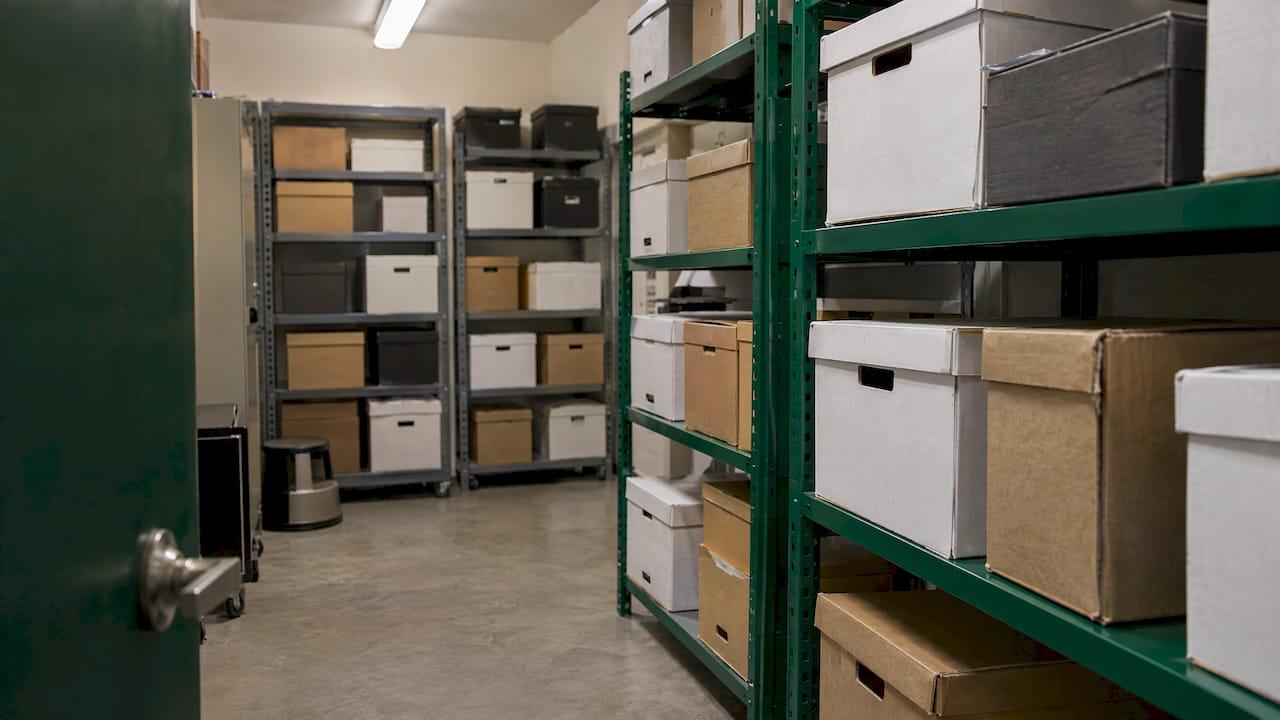
A storage unit makes sense when you have paper you’re required or wise to keep, you don’t need it daily, and your office or home has no room for it. Think closed-year tax files, old payroll folders, expired contracts, archived job files, and spare inventory paperwork.
Here’s how our sizes line up for records. These are prices as published on our units page:
| Unit size | Monthly price | Good for |
|---|---|---|
| 2×3 | $29 | A few boxes or a small cabinet’s worth |
| 3×4 | $55 | A modest archive of closed-year files |
| 5×5 | $79 | Several years of boxed paper plus a shelf |
| 5×8 | $115 | A fuller archive with room for a rack or cabinet |
| 8×10 | $179 | Archives plus furniture, equipment or stock |
| 8×20 | $279 | Records and inventory for a growing business |
How many boxes fit depends on your boxes and how you stack them, so measure before you commit. A good rule is to leave a walkway down the middle. A unit you can’t walk into is a unit where nothing gets found.
A few reasons our setup works for business owners:
- Drive-up access. Pull up to the door, load the dolly, go. No elevators or long hallways.
- 24/7 gate access. Need a file at 6 a.m. before a meeting? You can get to it.
- Month-to-month, no deposit. You’re not locked in. If you digitize everything next spring, you can downsize.
- On-site manager. A real person who can answer questions.
- Close to town. We’re about seven minutes from downtown San Francisco, without the city traffic.
One thing to think about: if your paper has to sit for months or years, read our guide on when climate controlled storage pays so you can match the space to how long and how sensitive your files are. Also see our post on self storage insurance to understand what coverage to look at for the contents of your unit.

Keeping stored records safe and findable
Storing records is half the job. Finding them is the other half. The FDIC suggests protecting records with restricted-access cabinets, fireproof safes, secure offsite backups, clean desk policies, and passwords and encryption for digital files. It also says organizing documents by year and type makes them easier to reach, as laid out in its recordkeeping guide.
Here’s a simple system that holds up:
- Sort by year, then by type. Taxes, payroll, vendors, customers, contracts, licenses.
- Use standard boxes. Same size boxes stack cleanly and make shelf planning easy.
- Label the outside clearly. Put the year, category and a destroy-after date on the end of the box, where you can see it without pulling it down.
- Keep an index. A one-page spreadsheet listing each box and its contents saves hours. Keep a digital copy of that index outside the unit.
- Shelf, don’t pile. Keep boxes off the floor and away from the door edge.
- Lock it. Use a good lock and keep your own key control. Our post on storage unit security covers locks, PINs and camera blind spots.
Who gets access
Employee files deserve extra care. ADP’s record storage guide recommends that the business owner or someone with HR management responsibility has final say over who can open them, that digital systems limit access to authorized users, that passwords change when someone leaves, and that medical information stays separate from other employee records.
If you also share data with outside partners or vendors, it’s worth reading up on how to share business data safely before sending anything out.
Build a retention schedule, then shred on time
A retention schedule is just a list. Each record type gets a keep-for period and a destroy-after date. ADP recommends developing a written retention and destruction policy with a schedule consistent with federal, state and local law. You can build yours in an afternoon:
- List every record type your business creates.
- Next to each, write the legal minimum that applies to you (use the table above as a start, then confirm with your accountant or attorney).
- Add your own buffer if you want one.
- Put the destroy-after year on every box label.
- Set a yearly reminder to review the schedule and clear out what’s expired.
- Pause the schedule for anything tied to a dispute or charge.
When the date comes, don’t just toss the box in the dumpster. ADP’s guidance is that paper gets shredded and electronic records get erased so they can’t be recovered. For some records, it’s the law. The EEOC says consumer reports and the information taken from them must be disposed of securely, with paper burned, pulverized or shredded, and electronic information destroyed so it can’t be read or reconstructed.
Practical tip: shred in batches. Pull the expired boxes once a year, load them up, and take them to a shredding service. Our drive-up units make that loading step easy.
Reserve a records unit
Need room for the paper without giving up your office? We’ve got drive-up units from a 2×3 at $29 a month up to an 8×20 at $279 a month, all month-to-month with no deposit. Browse the sizes on our units page, or see everything we offer at Island Park Storage. We also sell boxes and moving supplies, and you can rent a U-Haul truck from us for the haul. Truck rentals start from $19 a day.

Handy if you run a contracting business too: our contractor storage guide covers 24/7 access for tools and job files.
Our take
Most small business owners we meet don’t have a records problem. They have a space problem. The paper is fine. It’s just in the back seat, the garage, and three closets.
Here’s what we’d do. Scan what you touch every week. Box everything you must keep but rarely open. Label every box with a destroy-after year. Put those boxes somewhere dry and secure that you can get to anytime.
That’s where we come in. Our units are true drive-up, with 24/7 gate access, so you can pull a file on your schedule, not ours. Everything is month-to-month with no deposit, so you’re never stuck paying for space you’ve outgrown. And there’s a manager on site who’ll help you pick a size that fits instead of upselling you into one that doesn’t. We’re about seven minutes from downtown San Francisco, with none of the city traffic.
Start small. A 5×5 or 5×8 usually does the trick for a small office’s archive, and you can step up if you grow.
Mike
FAQ
How long should a small business keep tax records?
The IRS says it depends on the record. Keep them as long as they could be needed to support information on a tax return. Employment tax records must be kept for at least four years. Ask your accountant about the right periods for your situation.
Can I keep business records digitally only?
Often you can keep digital copies, and the FDIC says paper and digital can co-exist when both are organized and secure. Some documents may need originals or have special rules, so check with your accountant or attorney before shredding any original.
What’s the best way to organize stored paper records?
Sort by year and type, use matching boxes, label each one with its contents and a destroy-after year, and keep an index. Shelve boxes off the floor with a clear aisle so you can reach any of them.
Is a self-storage unit okay for business records?
It can be a practical option for paper you need to keep but rarely open. Pick a size that lets you shelve boxes and walk in, lock it, and keep an index of what’s inside. For long stays, check our guide on climate control to match the space to your files.
How do I get rid of records when the retention period ends?
Shred paper and securely erase electronic files so they can’t be read or rebuilt. First confirm there’s no open dispute, audit or charge that requires you to hold on to them.
Sources
- FDIC: Module 9 Recordkeeping Participant Guide
- IRS: What kind of records should I keep
- IRS: Recordkeeping
- OSHA: Recording and reporting
- EEOC: Recordkeeping requirements
- EEOC: Summary of selected recordkeeping obligations in 29 CFR Part 1602
- EEOC: Background checks, what employers need to know
- ADP: Record Storage Best Practices
- Secure data sharing: how to share business data safely